
Most test suites break because of what's hardcoded inside them.
A selector that changes. A token pasted into fifteen tests. A CSV copied into a test case by hand. None of it is the test logic, and all of it is what breaks first.
Tools pull that out. Data, requests, selectors, and tags live in your workspace, not buried inside individual test cases. Change it in one place and every test that uses it stays valid.
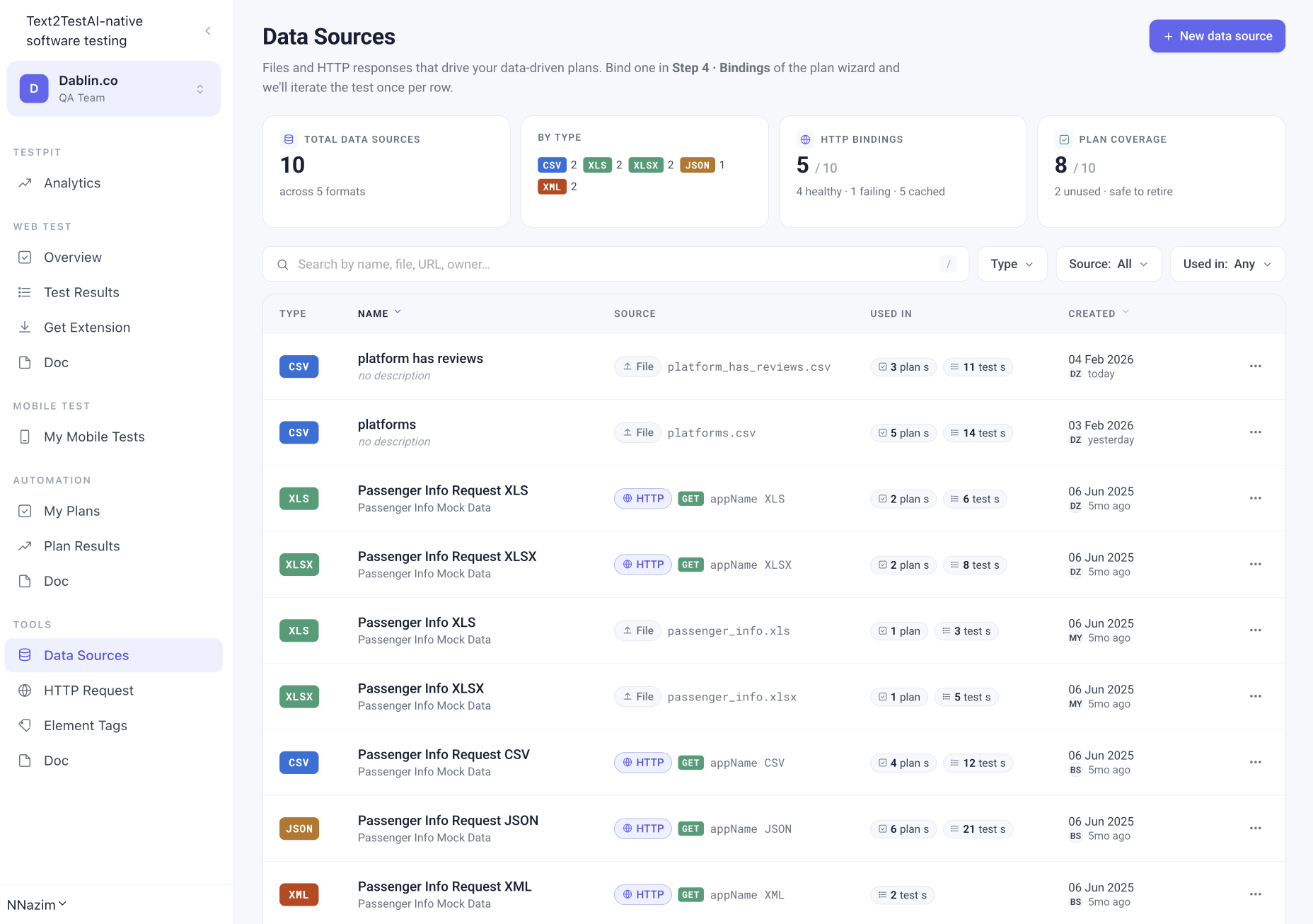
Everything your test cases reach for.
Data Sources
Upload a CSV, XLS, XLSX, JSON, or XML file, or bind a saved HTTP request. Text2Test iterates your plan once per row, so a 50-row file becomes 50 runs of the same suite. Coverage scales with your data, not your headcount.
→ Explore Data SourcesHTTP Request
A Postman-style API tool scoped to your workspace. Save a request once and use it three ways: standalone scratchpad, data source for a plan, or a step inside a test case. Variables, auth presets, and assertions included.
→ Explore HTTP RequestElement TagsNew
Name the elements your tests interact with, once. Tests reference the tag instead of the raw selector, so a front-end change updates in one place instead of across every test that touched it.
Test TagsSoon
Label test cases by area, priority, release, or whatever your team organises around. Filter, group, and run by tag so a plan can target exactly the slice you care about.
Scenario FilesSoon
Reusable scenario definitions your test cases can pull from, so shared flows stay consistent across the suite instead of being rewritten each time.
One HTTP Request. A data source and a step.
The tools are not five separate silos. A saved HTTP Request can drive a plan as a data source or run inside a test case as a step. An element tag written once is picked up by every test that touches that screen. A test tag decides which of those tests a plan runs tonight.
Build the plumbing once. Point your test cases at it. Change it in one place when your product changes.
You don't leave your test to use them.
Tools live in the workspace and surface where you need them. Bind a data source in Step 4 of the plan wizard. Drop an HTTP Request in as one of the five step types. Reference an element tag inside a plain-text step. No context switching, no separate configuration files to maintain.